Sticky notes on your browser start page
Stickies live along the side of your deck, so a note you write in the morning is still in front of you in the afternoon. They look handwritten, on paper with a strip of tape.
Start your deck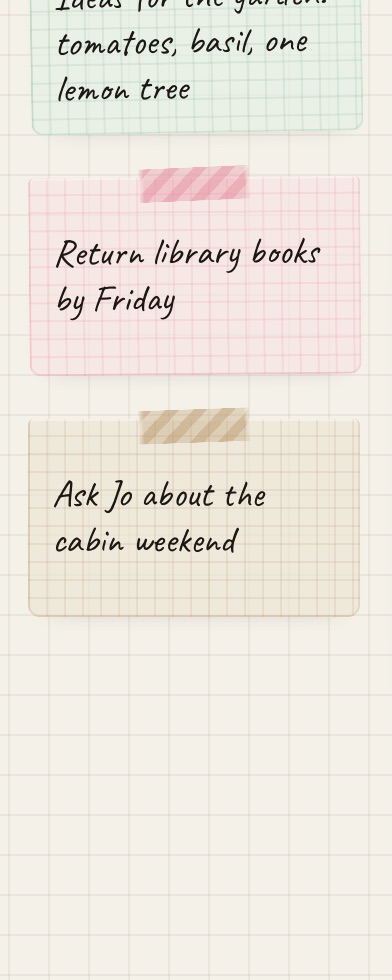
How they work
- Write. Click the plus and start typing.
- Color. Click to switch between six paper colors.
- Move. Drag a sticky to put it in a different spot.
- Archive. When you're done with one, archive it. Archived stickies are kept, and you can put them back.
Handwriting and paper
Stickies are set in a handwriting font. The free version has one, and Pro adds five more. The paper behind your deck can be grid, dots and more.
On your phone
On iPhone, stickies get their own screen. Sign in with the same phrase and the notes you wrote on your Mac are there.
Questions
Are my notes private?
They're saved in your browser. If you make an account, a copy is kept on our server so your devices stay in sync. No ads, no tracking.
How many stickies can I have?
As many as you like, on the free version too.
Can I export them?
Yes. Settings has an export button that saves your whole deck, stickies included, as a file.