A start page on your iPhone Home Screen
Daft Deck on iPhone is a deck you swipe through: Today, Board and Stickies. Add it to your Home Screen and it opens full screen like any other app, even without a connection.
Start your deck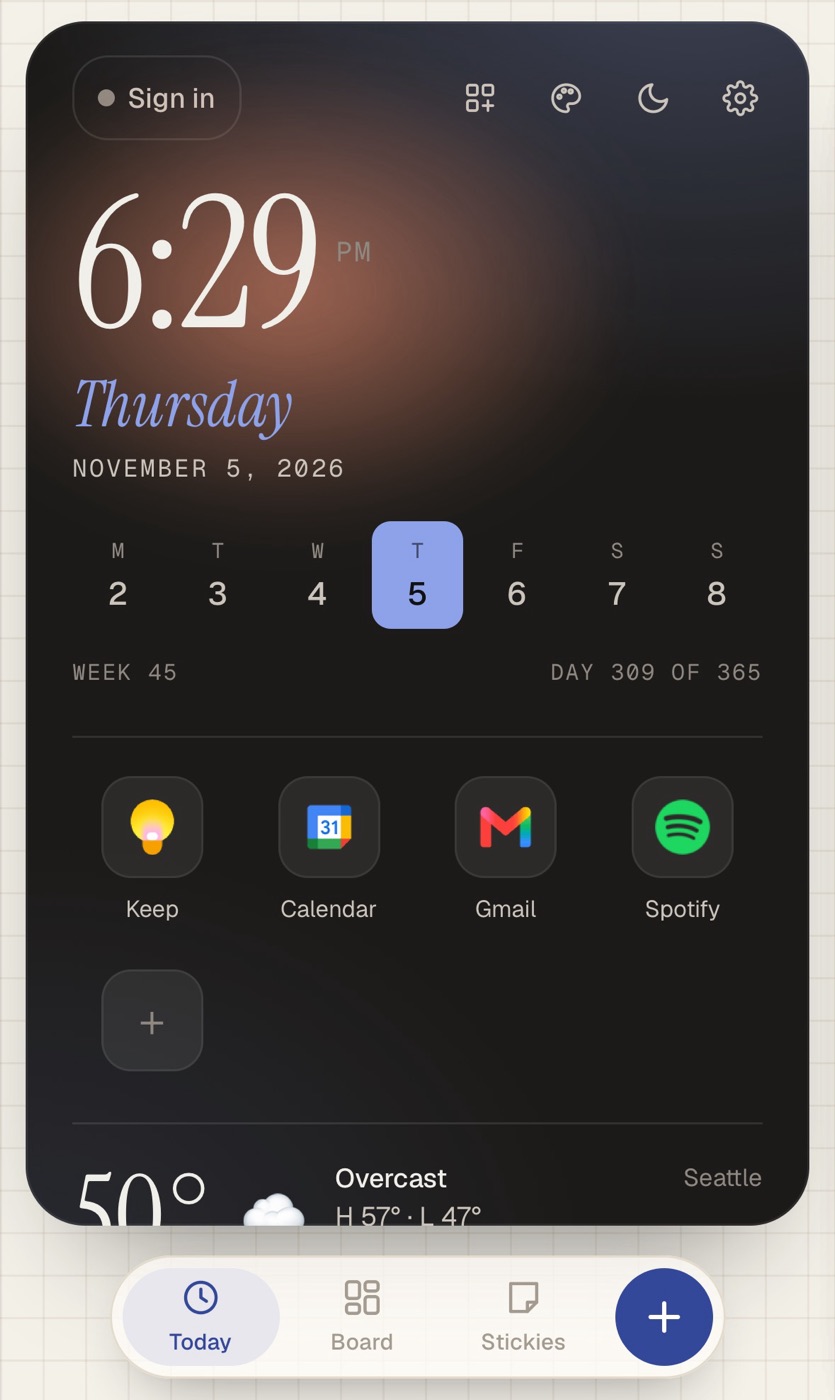
Three screens
- Today. The clock, the week, the weather and your quick links.
- Board. Your boxes in one column: calendar, to-dos, habits, your word for the year and the rest.
- Stickies. Handwritten notes in the colors you pick.
Press and hold a quick link to change it or move it.
Add it to your Home Screen
- Open deck.glowdaft.com in Safari.
- Tap Share, then Add to Home Screen.
- Tap Add.
The iPhone guide covers iPad and what to do if you don't see the Share button.
The same deck on your Mac
Make an account and you get a six-word phrase. Sign in with it on your Mac and the deck follows you, with the wider layout. There's no email or password.
Questions
Is it in the App Store?
No. It's a web app, so you add it from Safari. It still gets its own icon, opens full screen and works offline.
Does it have a widget?
Yes. There's a Home Screen widget, made with the free Scriptable app, that shows your words for the year and month, upcoming calendar events, countdowns and stickies.
Does it cost anything?
Daft Deck is free. Pro is a one-time $12, and it comes with you to every device you sign in on.